
01Chapter
Executive headlines & landscape snapshot
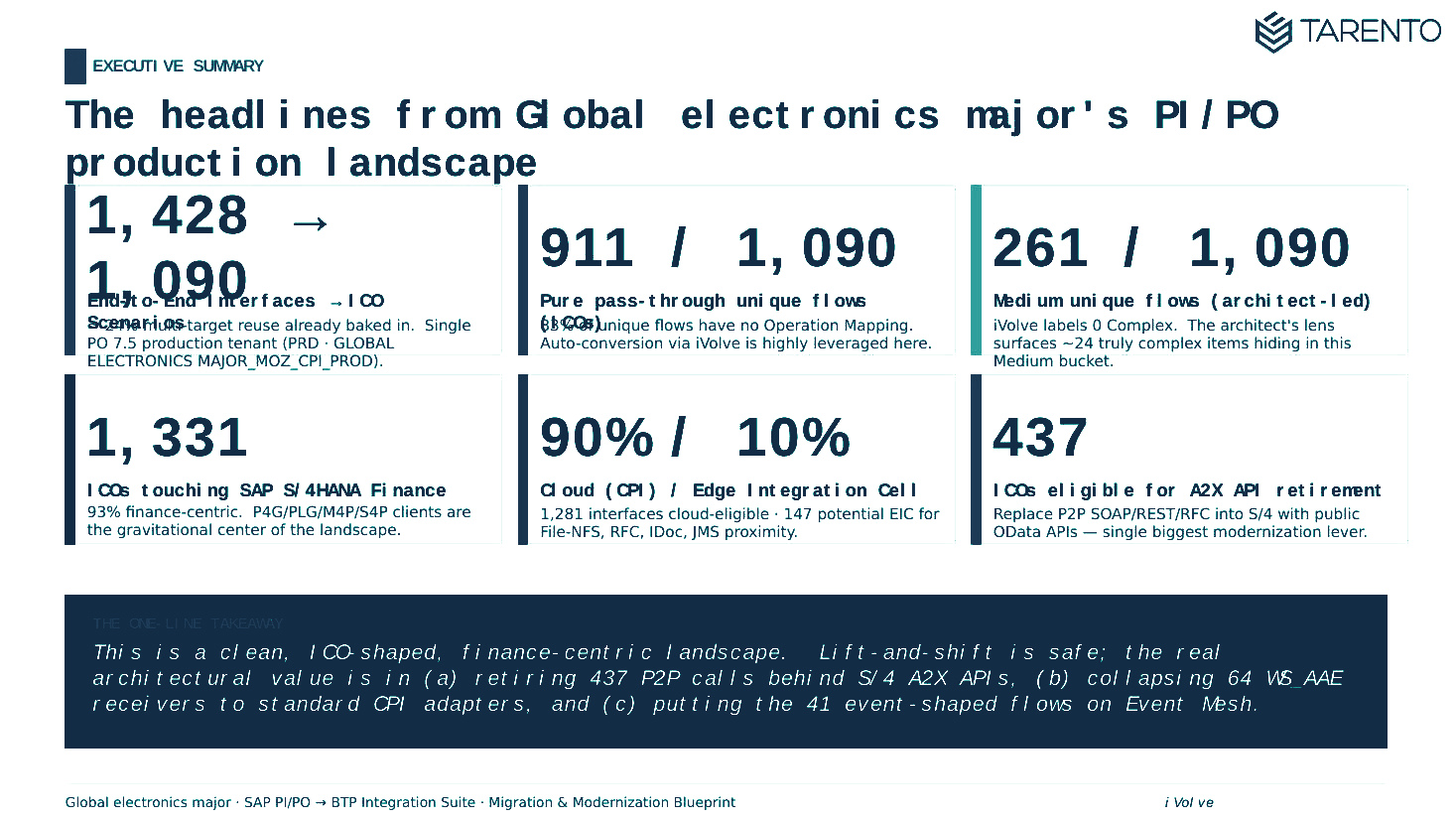
One-page board view: total interfaces, regional split, ready-to-migrate vs adjustment-required vs evaluation-required, and the modernization headline for the CIO.
The accelerator calls SAP PO–centric platform web services to download artefact details, then produces a complete interface inventory and complexity profile, without deploying anything into the source landscape.
It can be deployed at a developer desktop, or any endpoint capable of making direct HTTP calls into the PO environment.
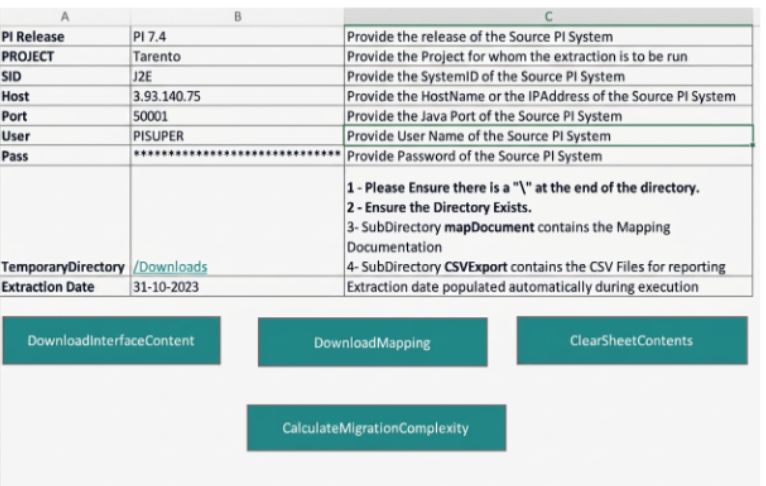
Authenticate against the source PI/PO system over VPN using a service account with SAP_XI_API_DISPLAY_J2EE, SAP_XI_API_DEVELOP_J2EE and SAP_XI_CONFIGURATOR_J2EE roles.
The macro calls SAP PO platform web services to pull artefact metadata.
Interfaces are classified, scored for migration complexity, and rolled up into a discovery workbook for review.
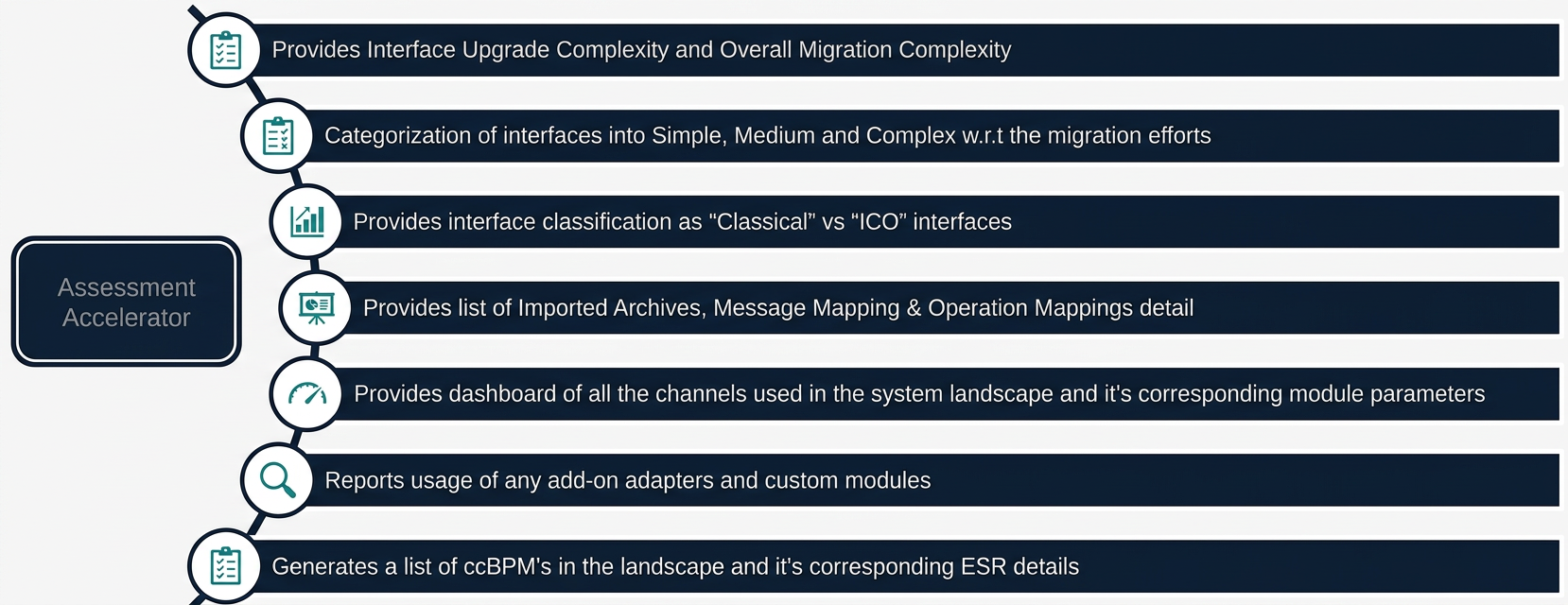
Per-interface upgrade complexity and an overall migration complexity rating for the landscape.
Categorises every interface by the engineering effort it will take to migrate.
Classifies interfaces as Classical or Integrated Configuration Objects.
Lists Imported Archives, Message Mappings and Operation Mappings in detail.
All channels in the landscape with their corresponding module parameters.
Reports usage of any add-on adapters and custom modules in flight.
Generates a list of ccBPMs in the landscape with their corresponding ESR details.
The chapters below blend the two deliverables you’ll get, the executive assessment pack and the architect’s migration & modernization blueprint, into the single flow we use in the readout. Anonymized PDFs of both packs are available to download in the section below.
One-page board view: total interfaces, regional split, ready-to-migrate vs adjustment-required vs evaluation-required, and the modernization headline for the CIO.
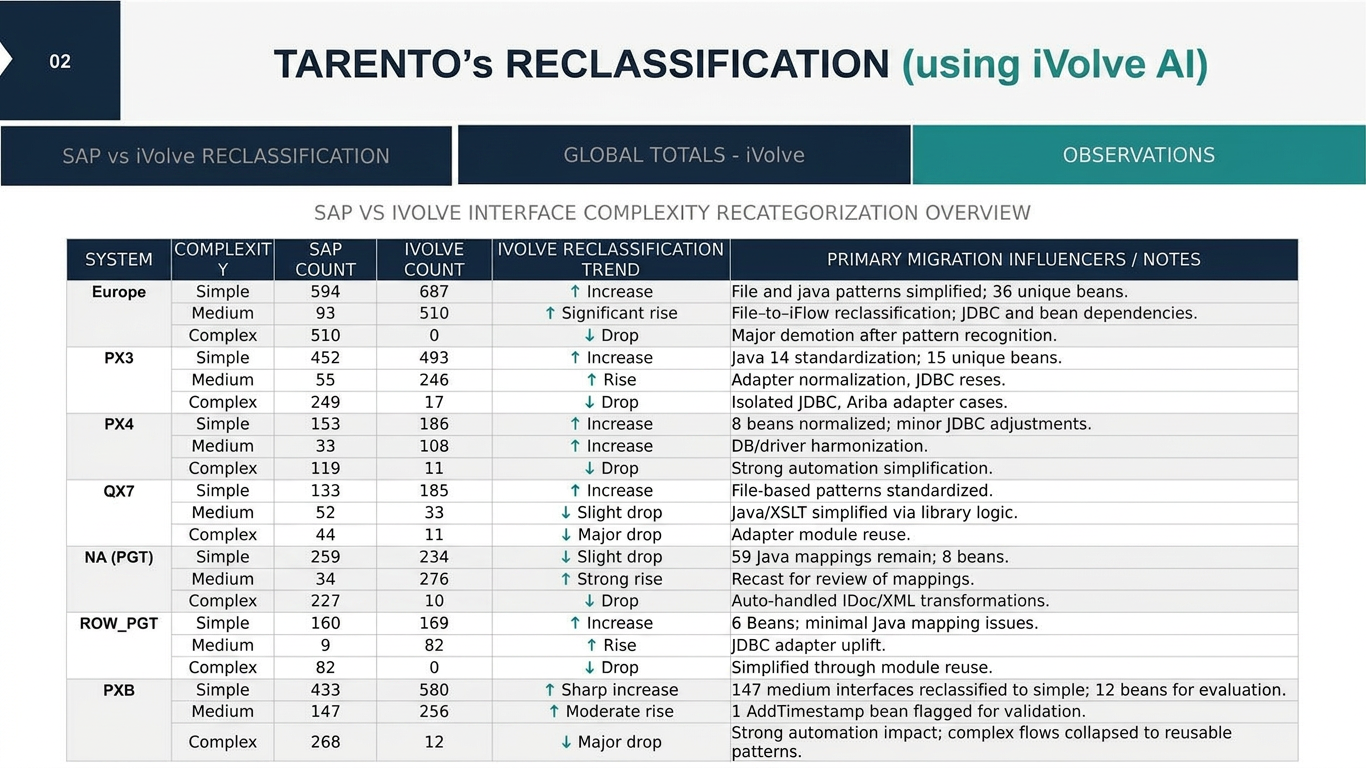
Every ICO re-graded as Simple / Medium / Complex against an automation-aware baseline. The delta vs SAP's native sizing is usually where the effort story changes.
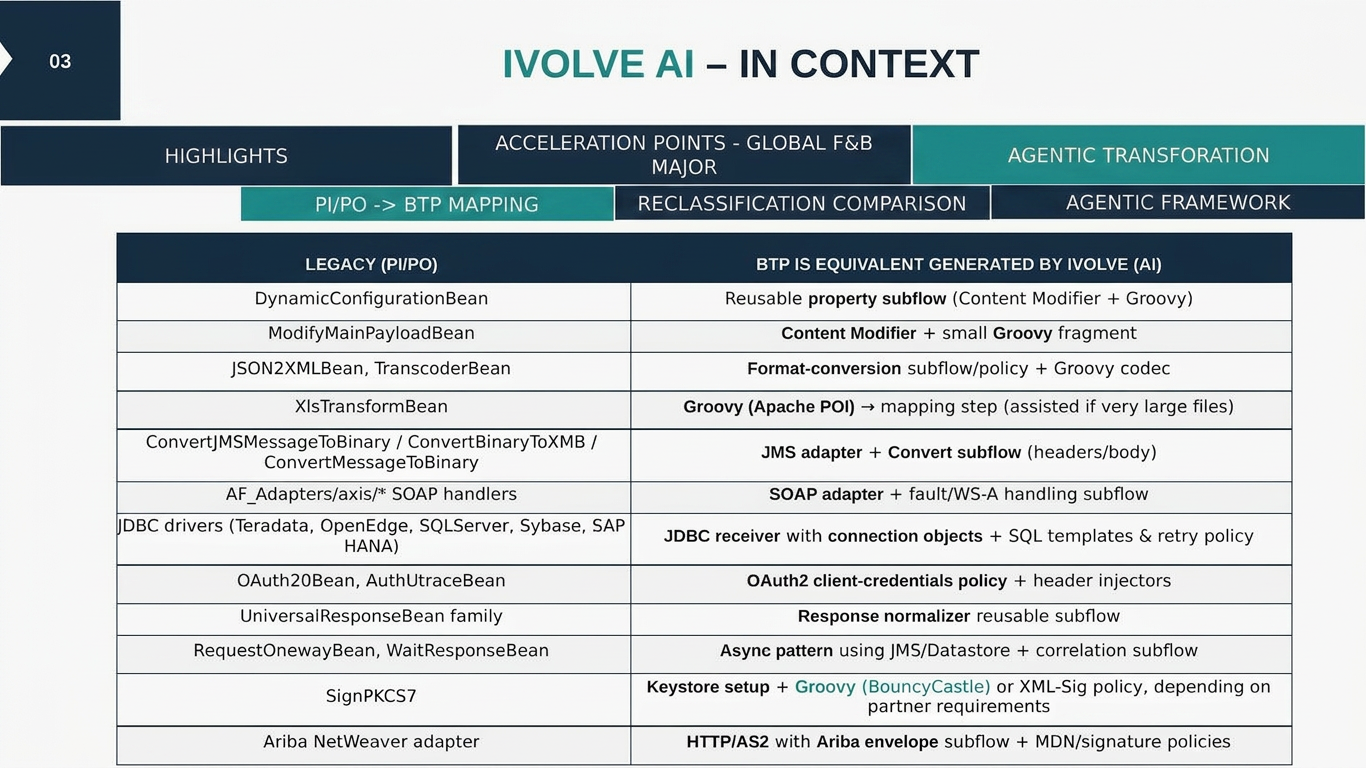
Per-pattern mapping from PI/PO artefacts (beans, adapters, custom modules) to BTP Integration Suite equivalents: what gets auto-generated and where the design effort sits.
Tenant model (Dev / QA / Prod), supernova vs geo-centric options, and the recommended path with trade-offs spelled out for the architecture board.
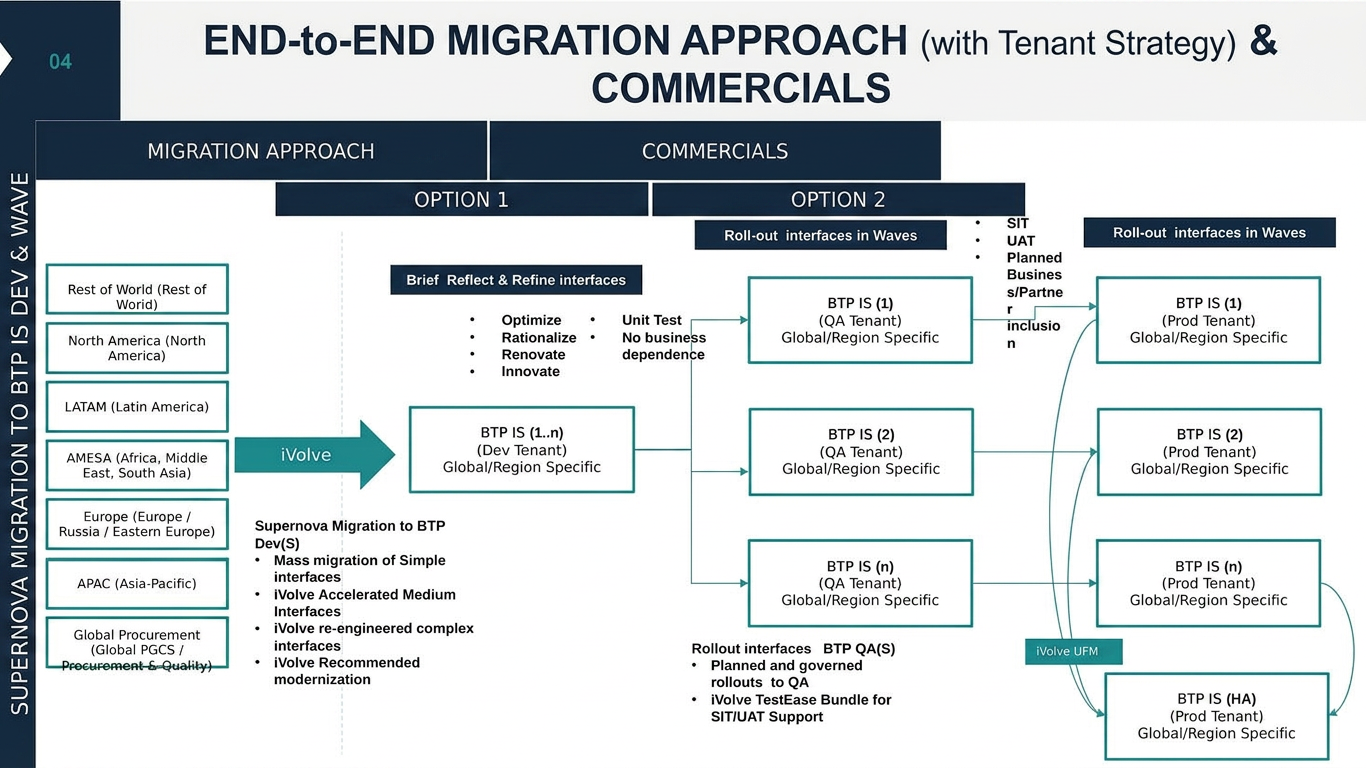
Wave sequencing across regions, POD composition, and a RASCI that names who owns what across Tarento, your integration team, business and SAP, so day-one of execution is unambiguous.
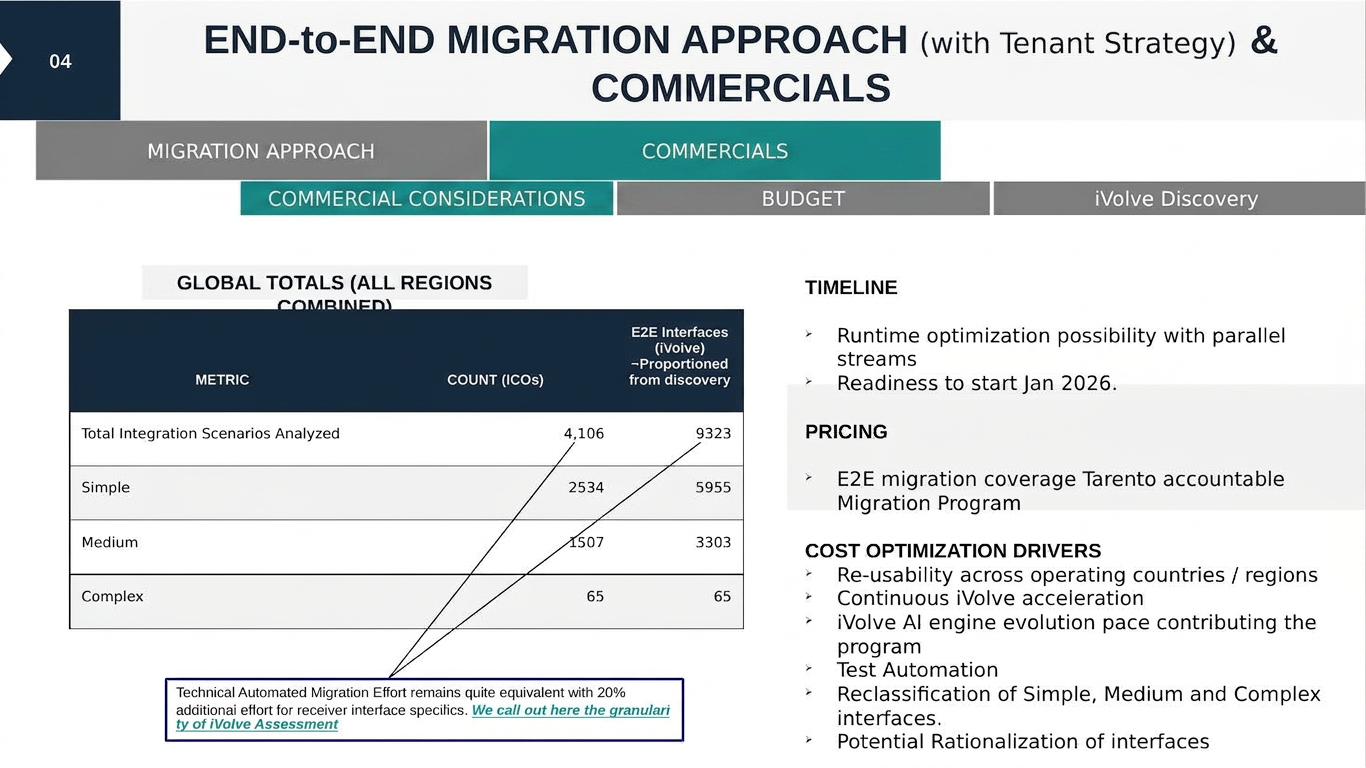
Recommended delivery model, the optimization drivers (re-use, automation coverage, rationalization), and a scoped 5-ICO proof-of-concept to de-risk the full migration commitment.
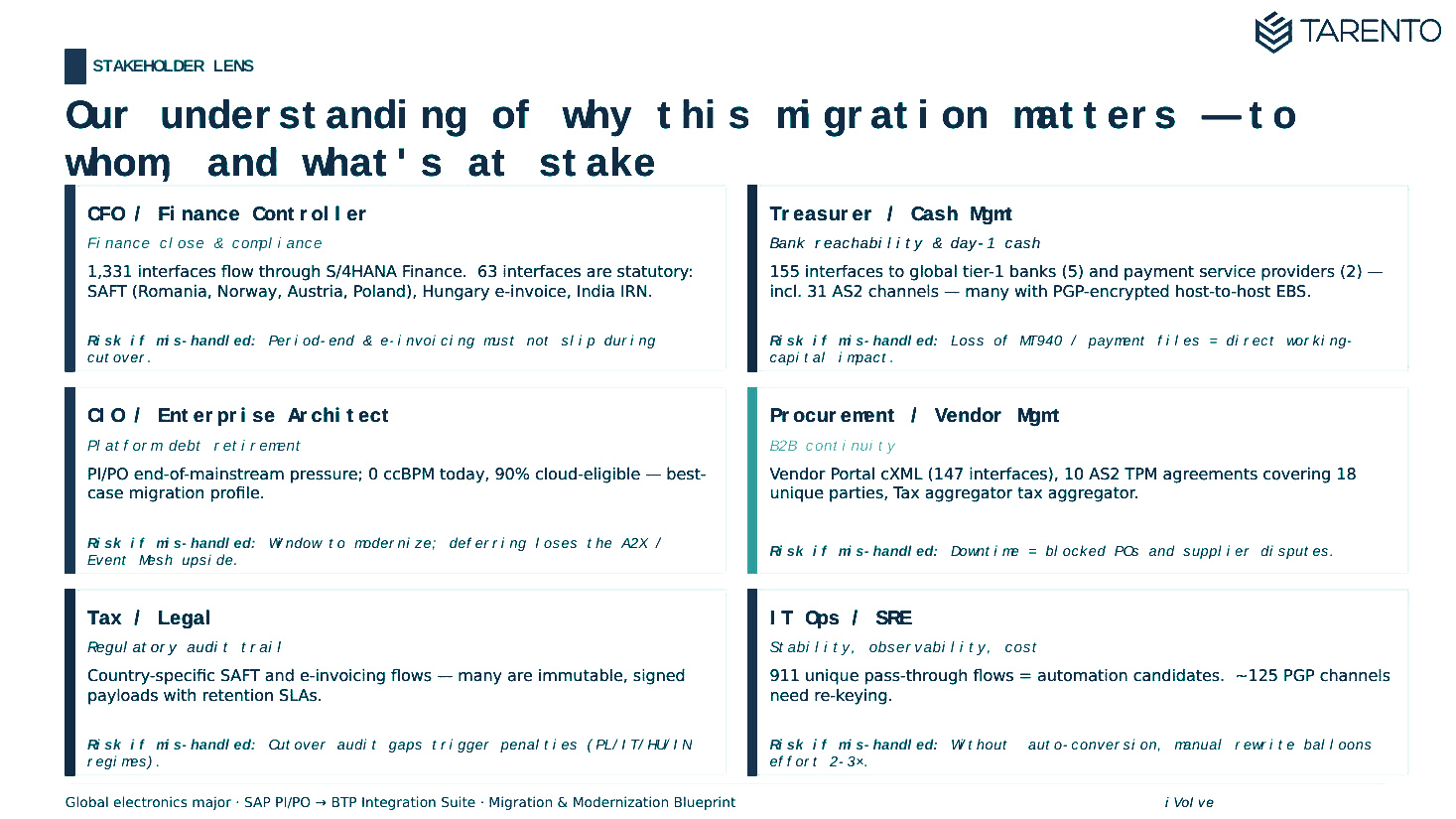
Every engagement produces an assessment pack. For landscapes where the architectural choices carry the real weight, we go deeper and produce a migration & modernization blueprint: the same data, read through an architect’s lens.
This is the unedited Excel output from the accelerator: every interface, every channel, complexity scoring and reclassification. The two sample decks below are what this sheet gets transformed into during the readout.
Crisp highlights: executive summary, reclassification, migration approach, engagement model and next steps. Full pack shared on request.
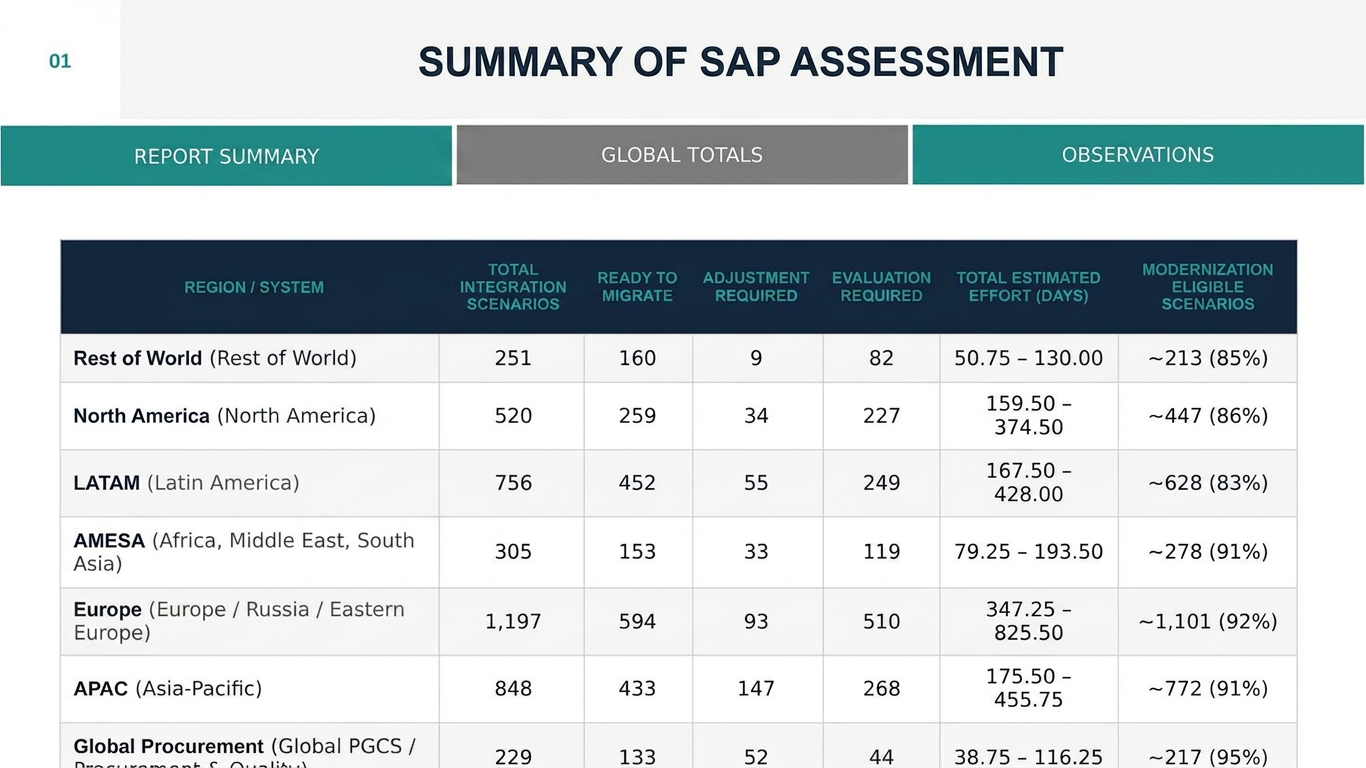
Crisp highlights: landscape snapshot, ICO classification, target tenant strategy, RASCI and the wave plan. Full blueprint shared on request.
The packs are delivered as PowerPoint, accompanied by a single discovery workbook (raw extract + interface inventory) your integration architect can work from.
SAP_XI_API_DISPLAY_J2EESAP_XI_API_DEVELOP_J2EESAP_XI_CONFIGURATOR_J2EEThe accelerator is a macro-enabled Excel tool. Mature security teams will (rightly) want to inspect it before it touches their landscape. We publish a complete IT Security Assessment Pack that pre-empts that review, including a candid VBA static analysis, risk matrix, and the controls under which we recommend deploying it.
Read-only HTTPS calls to SAP-provided Integration Directory APIs. Runs on a desktop or VDI. No transports, no ABAP, no data leaves your network.
Service account restricted to three PI display roles. No Basis, no admin, no inbound firewall changes on the SAP side.
Honest write-up of the Win32 API patterns in Module1/Module2: what they do, why they exist, and why they are not malicious.
Seven named risks (R-01 to R-07) with likelihood, impact, rating and the mitigation we recommend for each.
Sandbox detonation, AV/EDR scan, isolated VDI, SAP role audit, network egress monitoring, and formal change-management sign-off.
Seven mandatory pre-execution conditions your ITSec team can lift directly into a sign-off checklist.
Unprotected VBA source can be shared under NDA on request, so your security team can complete an independent code review before approval.
30-minute call to understand your landscape and confirm fit.
Your basis team provisions a service user with three read-only PI roles.
We run the extractor in a single 30-minute working session.
Our team applies iVolve to reclassify interfaces, model the migration, and assemble the assessment pack.
90-minute walkthrough of the pack, plus the workbook and POC plan handed to your team.
The five-day analysis window is fast because we apply iVolve, a framework refined across multiple PI/PO assessments. We’re not inventing the method on your engagement; we’re applying it.